First off here is an image of the final game.
To achieve the light effect I used a volumetric Light script that I found. I had to edit it slightly to fit my needs but the final effect is really cool.
I haven't talked about the scripting but most of my scripts are very similar. I am most proud of the waypoint marker I added in. I used a GUI image that is positioned using worldtoscreen coordinates. It was a challenge to add because it would appear behind the player aswell. I fixed this by attaching it to an invisible cube that if it was not on the player screen would be disabled via code. It is an expensive line of code because it is in an update function but it works pretty well. Having previously worked with code I found it relatively easy to get to grips with C#.
I really enjoyed working on this project.
So I imported the map into Unity from Maya and scaled it to be the right size. Then I imported standard assets and added the FPSController. Initially I decided to keep the model as a grey colour. However, I realised that without a bit of colour I wouldn't get the atmosphere I wanted. So I created some materials and applied a colour to them.
This is when I discovered emissive materials. I started creating the lights in the level and then created a cube at the source of the lights. I applied the emissive material to the cubes. There still wasn't a glow coming from them so I delved into lightmaps. After trying many settings I decided that lightmaps did not work in the level. So I settled for placing a light inside the cubes and making sure they don't cast shadows. To get the glow I added a bloom image effect to the player camera.
Now I decided to play with the image effects. I ended up adding Global Fog, Bloom, Vignette and Chromatic Abbrasion, Bloom and Flares, Colour Correction Curves, Antialiasing, Screen Space Ambient Occlusion, Contrast Enhance, Screen Overlay. I may have gone over the top but I like the overall effect.
Once I had done all this and edited certain aspects of the level I realised that the walkway that follows the wall of the main area had no supports. I did not want to go back into Maya and edit the map because of various changes I had made in unity. So I duplicated, scaled, and moved one of the walkway banisters. to become a ceiling support. After repeating this step many times I now had something which looked very similar to the concept art from my onesheet.

This is the first part of the level. I added the support beams in using cubes made in unity. I did the same with the crystals and lamps. The arrows indicate the direction taken by the player. The player starts in a mine looking at glowing crystals. They make their way through the only available path to the elevator and pass a door that won't open. They discover it is not working and head back to the door they saw on the way to it. Then they see a sparking console and go to look at it. The dialogue tells them they need to find a fuse. They find one and place it into the console and then head back to the elevator. They pull a lever and off it goes.

This is the next part of the level. The player see rock walls until they fall away to reveal a huge room with a giant drill hanging from the ceiling. I wanted the player to go from an enclosed space to a huge open one to create a dramatic atmosphere. I think it works well. The player makes their way from the elevator to a lit door. They follow the path which is lit.
And here is the last. They see a vehicle waiting for them and make their way to the door of it. This is where the level ends. These screenshots are taken in screen view. The game looks very different in game view.
So using the maps and onesheet I made previously I created the map for my Walking simulator in Maya. Here it is without the surrounding walls so you can see the layout.
The style I used for this was low polygon. The brief required a greybox prototype for a game so I decided that modelling low polygon would be the fastest way to get a level prototype completed. In the may file there isn't much sense of scale but when it is in unity and you see it from the viewpoint of the player you can see how large the map is.
I also had to create separate models for the map. The elevator, the generator, and a vehicle.
The walking simulator is required to be greybox so I did not have to UV map anything.
The name of my walking simulator will be Rusting Metal.
Here is the onesheet for the game. I will only be making the intro. The final result of this project will be a grey-box intro to the game.
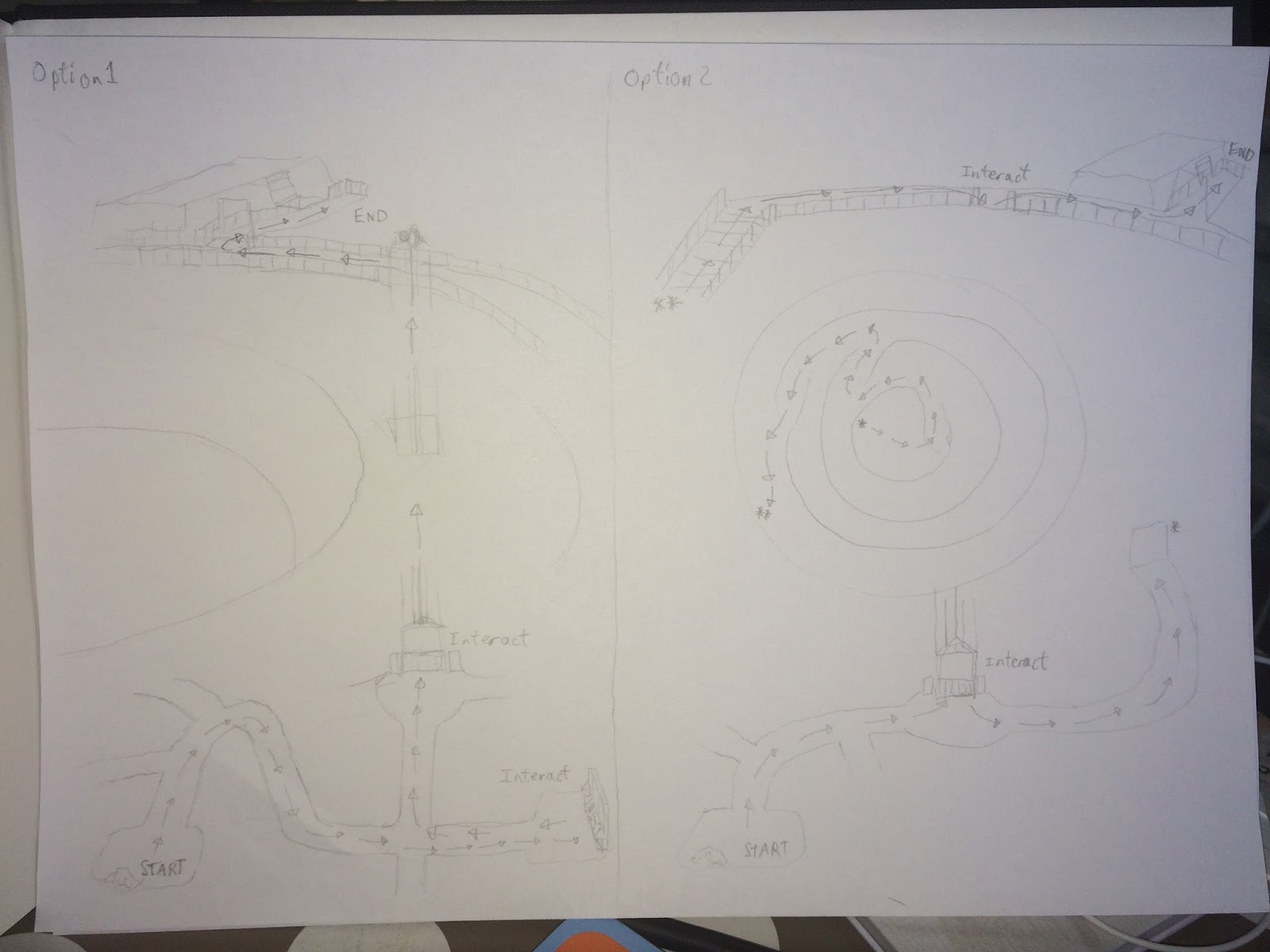
I have created some maps and a storyboard for this project. I wanted to check whether or not I could have an elevator in the game so I created two options just in-case I couldn't.
Then I found out I could have an elevator in the project and made a better version of the map.
So now here is the storyboard.
That is it for the plan of my walking simulator. I am now beginning to model everything in Maya and put it together in Unity.